← SparkMailr
EMAIL API GUIDE
Choose with confidence.
A practical framework for evaluating email APIs, from volume and integration to security and support.
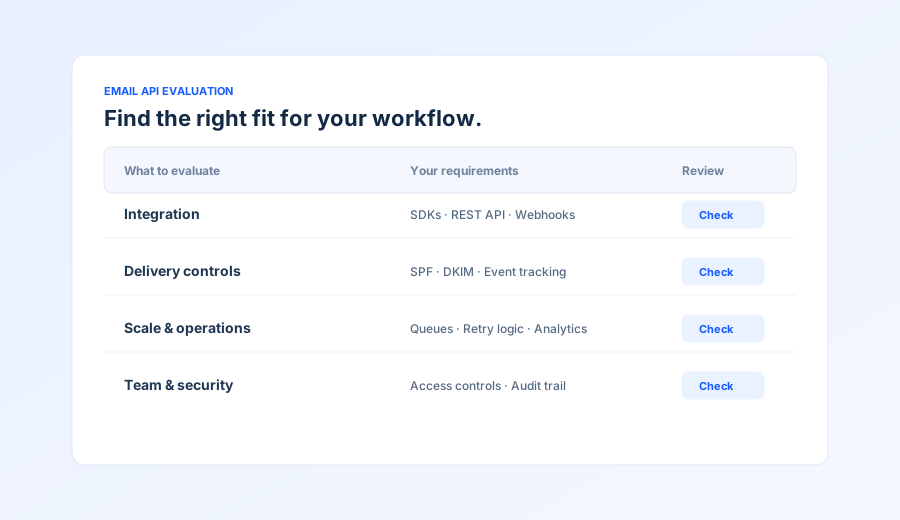
EMAIL API GUIDE
A practical framework for evaluating email APIs, from volume and integration to security and support.
Selecting the right email API is crucial for your application's success. This guide walks you through 8 essential steps to evaluate and choose the best email API service for your specific needs, whether you're a startup sending thousands of emails or an enterprise handling millions.
Start by determining how many emails you need to send per month. This is the foundation for choosing the right plan and pricing tier.
Volume Categories:
Pro Tip: Consider your growth trajectory. Choose a service that can scale with you without requiring a complete migration later.
Email deliverability is critical. Look for services with 99%+ delivery rates and strong sender reputation management.
Why It Matters: High deliverability ensures your transactional emails (password resets, order confirmations) reach users' inboxes, not spam folders. This is essential for user experience and business operations.
Verify the API supports your preferred programming language with official SDKs. This makes integration faster and more reliable.
Best Practice: Official SDKs handle authentication, error handling, retries, and webhook processing automatically, reducing development time and potential bugs.
Security is non-negotiable, especially for enterprise applications. Ensure the API meets your compliance requirements.
Enterprise Requirement: Large organizations often need dedicated IP addresses, custom domain authentication, and advanced security features.
Understand the total cost, including base pricing, overage fees, and feature costs. Free tiers are great for testing.
| Plan Type | Monthly Volume | Typical Cost | Best For |
|---|---|---|---|
| Free Tier | 1,000 - 10,000 | $0 | Testing, small projects |
| Starter | 10,000 - 50,000 | $9.99 - $24.99 | Small businesses |
| Professional | 50,000 - 500,000 | $24.99 - $99.99 | Growing businesses |
| Enterprise | 500,000+ | Custom pricing | Large organizations |
Watch Out For: Overage fees (typically $0.50-$1.00 per 1,000 emails), feature add-ons, and minimum commitments in enterprise plans.
Good documentation saves development time and reduces support tickets. Review the quality of API docs, code examples, and resources.
Developer Experience: Well-documented APIs with clear examples reduce integration time from days to hours. Look for services that prioritize developer experience.
Support quality varies significantly. Enterprise customers need dedicated support with fast response times and uptime guarantees.
SLA Requirements: Enterprise applications need 99.9%+ uptime guarantees with compensation for downtime. Check response time SLAs for support requests.
Hands-on testing reveals real-world performance. Sign up for free tiers or trials to evaluate the API before committing.
Real-World Testing: Most services offer free tiers with 1,000-10,000 emails/month. Use this to test actual performance, not just read marketing materials.
After completing these 8 steps, you'll have a clear picture of which email API service best fits your needs. Consider creating a scoring matrix comparing your top 3 options across these criteria. Remember: the best email API for your business balances cost, features, reliability, and developer experience.
Ready to get started? Try SparkMailr's free tier with 1,000 emails/month and all 7 SDK languages included.
Start with SparkMailr's free tier and experience enterprise-grade email API with 7 SDK languages.